Open every link in the right browser.
FlexiLink sits between your links and your browsers. Click a link anywhere – Outlook, Teams, Slack, a PDF – and it opens in the browser and profile you want. Automatically, by your rules. Or with one click in a clean little picker.
- 30 days free, no sign-up
- $19 per PC, once – no subscription
- No admin rights needed
Works with the browsers you already have:ChromeEdgeFirefoxBraveVivaldiOpera…and any other
A traffic controller for your links
You set FlexiLink as your default browser. It isn’t a browser itself: web links you click in other apps go to FlexiLink first, and FlexiLink hands each one to the right real browser.
You click a link
In Outlook, Teams, Slack, a PDF – most apps on your PC.

FlexiLink checks your rules
Top to bottom, in a split second. The first match wins.
A rule matches
The link opens straight away in that browser and profile – even in a private window.
No rule yet
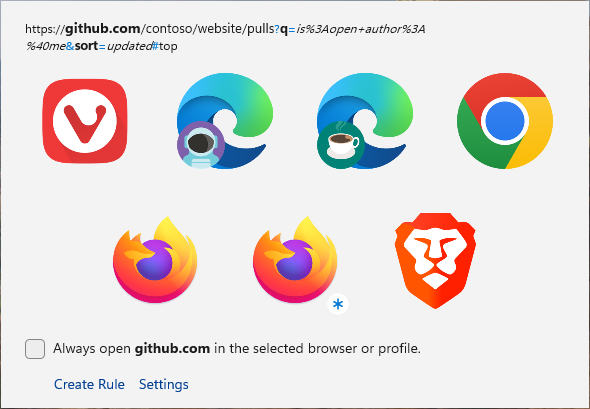
The picker asks where to open it. One click, and you can make it a rule.
Made for people who use more than one browser
Work and personal profiles
Company tools always open in your Work Edge profile, everything else in Personal. No more “you’re signed in to the wrong account”.
Several clients or accounts
Consultants and freelancers keep one profile per client. One rule per client domain sends every link to the right one.
Web developers and testers
Send localhost to Firefox Developer Edition, staging to Edge, and pick any browser for a quick cross-browser check.
Private by default for some sites
Banking, shopping or anything you’d rather keep out of your history opens in a private or incognito window – automatically.
The right browser for the page
Edge for SharePoint and Teams, Chrome for Google Workspace, Firefox for everything else – without thinking about it.
Or just choose each time
No rules at all? That’s fine. The picker lets you choose for every link, with the mouse or the keyboard.
If any of these sound familiar, FlexiLink saves you a copy-and-paste every time you click a link.
Set it once, never think about it again
A rule says: links like this open there. Match a single site, a site with all its subdomains, a URL pattern with wildcards – or, for power users, a regular expression. Or match the app you clicked in: every link from Thunderbird in your work profile. Rules run top to bottom and the first match wins, so the order is always obvious. Drag to reorder.
Why it matters: most people click the same few kinds of links every day. A handful of rules turns all of them into zero-click links.
Read the rules guide with examples →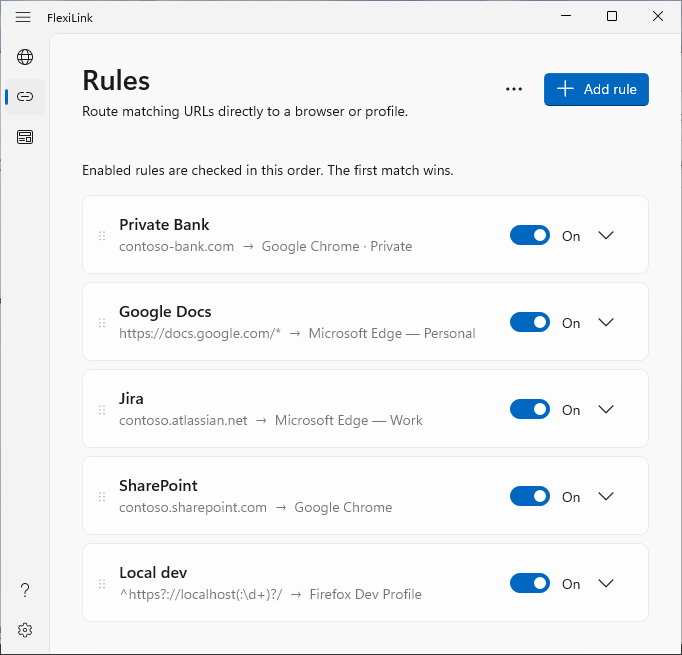
Not just the browser – the exact profile
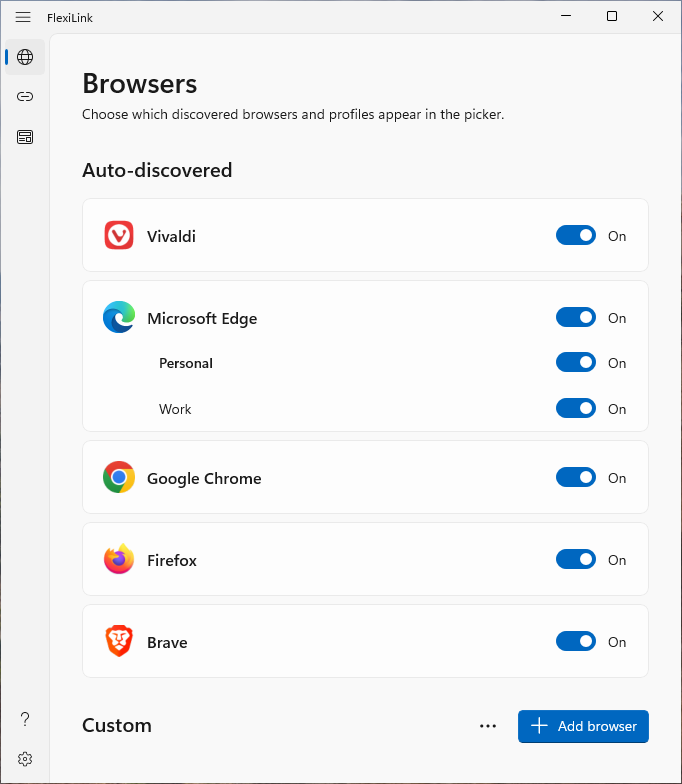
FlexiLink finds the profiles you already have in Chrome, Edge, Brave, Vivaldi and Firefox, and shows each one separately with its own picture. Any link, rule or click can also open in a private window: InPrivate, Incognito or Private Browsing – whatever the browser calls it.
Why it matters: for most people the problem isn’t the browser, it’s the account. Profiles are how you keep work and life apart.
All your browsers, one click from the taskbar
Click the FlexiLink icon next to the clock and a Quick Access panel pops up right above it, with every browser and profile. Right-click for a compact menu. Start a fresh window in exactly the profile you need, without hunting for shortcuts.
Why it matters: opening “Edge, but the Work profile” normally takes three clicks and a menu. Here it’s one.
See every feature →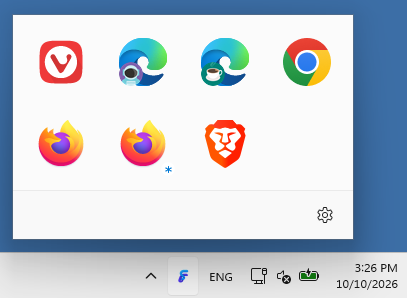
One default is one choice. FlexiLink chooses per link.
| Capability | Windows default browser | FlexiLink |
|---|---|---|
| Browser per link | Always the same one | Any browser, per link |
| Browser profiles | Whichever was used last | The exact profile you choose |
| Private windows | No | Per rule, or Ctrl+click |
| Automatic routing | No | Rules by site, pattern or regex |
| “Ask me this time” | No | The picker, for every link without a rule |
Small, fast and respectful
A native Windows app
Built with Rust and WinUI 3. It looks like Windows 11, follows your light or dark theme and starts in a blink – no Electron, no hidden web browser inside.
No account, no tracking
Your rules and settings stay in a file on your PC, and the links you open are never sent anywhere. FlexiLink goes online only for a daily update check, which you can turn off, and to activate your license. Privacy policy
No admin rights needed
FlexiLink installs just for your Windows user – no administrator rights, where your organisation allows per-user apps. Uninstalling removes it cleanly.
Try FlexiLink free for 30 days
Every feature included. If you like it, a license is $19 per PC (excl. VAT) – once, not every month.
Windows 10 (1809+) and Windows 11, 64-bit · Version 26.10